🚀 Introducing the Content Creator Kit See the kit

For the creator who knows what to say — until the blank page opens

Still staring at a blank post at 2am?

Stop rebuilding your feed from scratch. The Content Creator Feed Kit gives you 80 ready-to-customize Canva templates so you can open, edit and post with a plan.
Consistency builds brands. Blank pages kill them.
Instant accessWorks in Canva Free80 templates + bonus planner
Add a verified customer quote here when you have real proof. Real customer proof only

The part nobody puts on the content calendar

One post shouldn't eat your whole evening.

You open Canva to make one simple post. Then it's 2am. You've changed the font six times, saved three half-finished drafts and somehow you're still staring at an empty square.

The problem isn't that you need more ideas. You need fewer decisions between “I should post” and “it's posted.”
The blank page keeps charging you in time, attention and consistency.

Start with direction, not a blank canvas

Open Canva already knowing what the post can look like.

The Content Creator Feed Kit gives you a polished starting point for the posts you already need to make. Pick a layout, swap in your words, colors and photos, then move on with your day.

It's not more content to organize. It's less starting over.

What changes when the blank page disappears

Less deciding. More posting with a plan.

The value isn't 80 files sitting in Canva. It's having a strong starting point whenever you need to show up.
◷

Stop starting from zero

Choose a finished direction instead of designing every post from scratch.

✓

Look consistent on purpose

Build a feed that feels connected even when your topics change.

✦

Make faster decisions

Swap the words and visuals instead of rethinking the whole layout.

▦

Preview before you post

Use the bonus Feed Planner to see how your next posts work together.

One kit. Plenty of ways to show up.
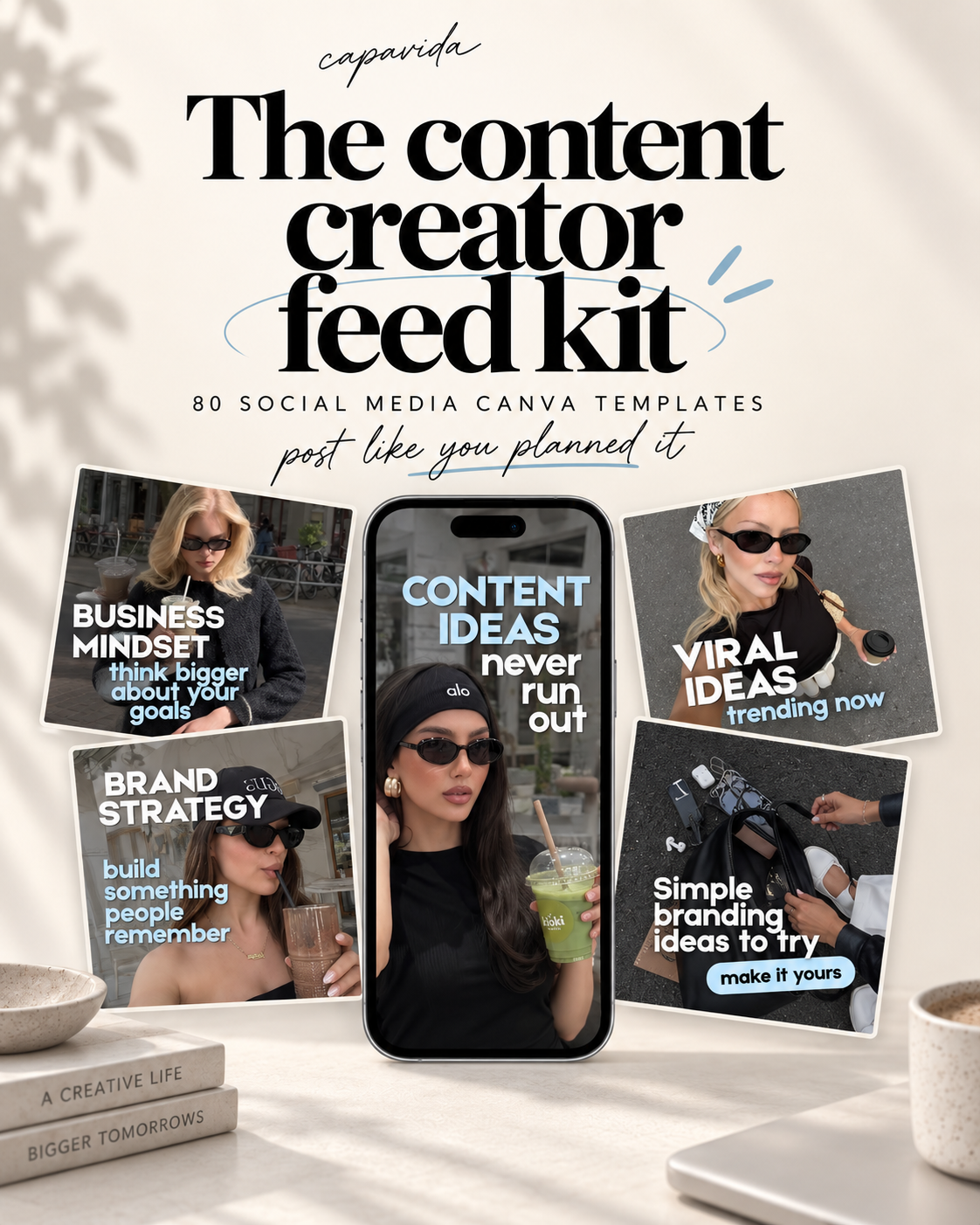
80 templates for the posts you actually need to make.

Use them as-is for a clean iOS-inspired look, or switch the photos, colors, type and copy to fit your brand.

The Content Creator Feed Kit

80 editable Instagram Canva templates built for everyday creator and small-business content.
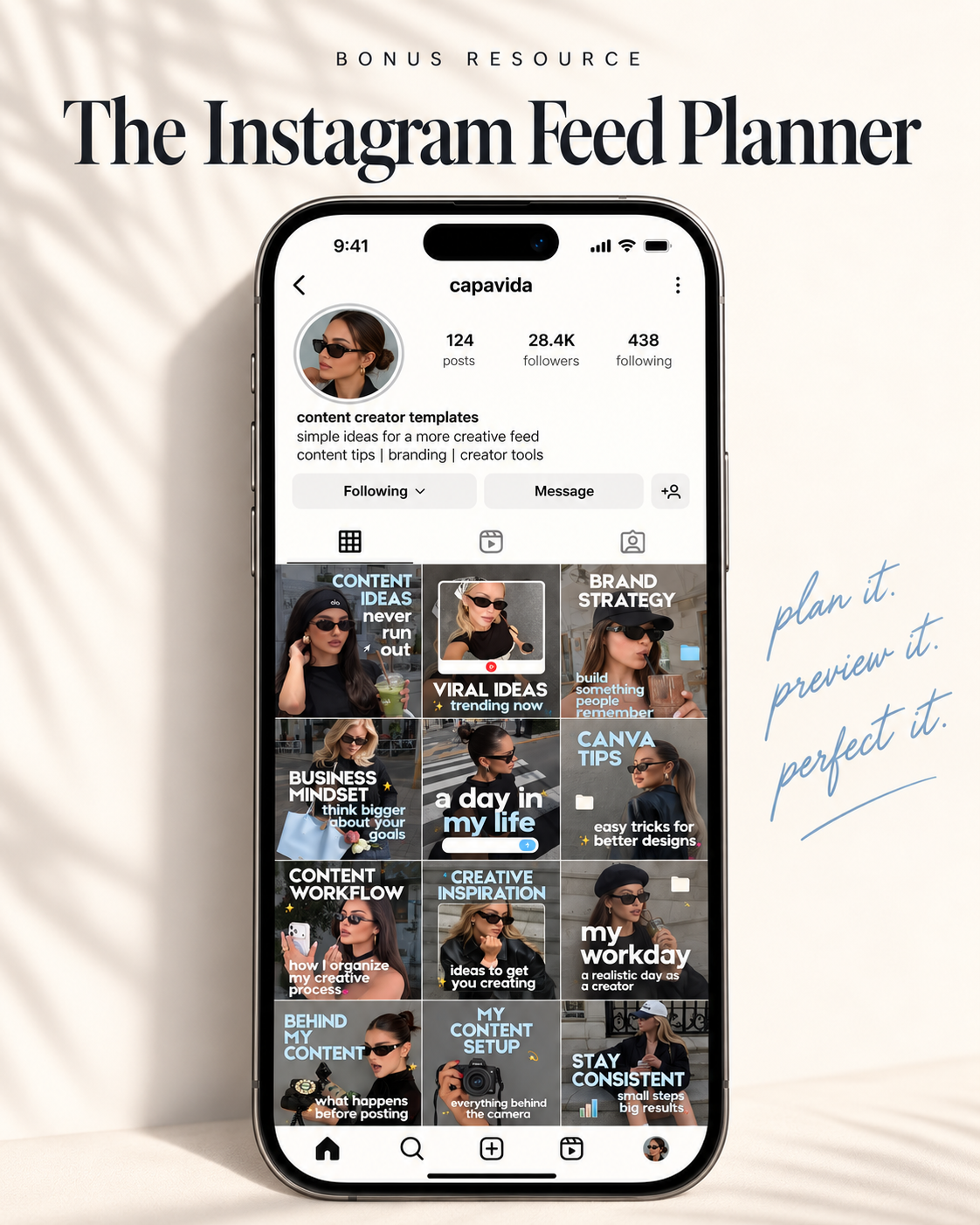
Content ideas · Marketing tips · Brand building · Business tips · Audience growth · Reels · Creator tips · Brand strategy · Canva tips · Workday / behind-the-scenes · Creative inspiration · Content workflow

Bonus: Instagram Feed Planner

Drag in your next posts and preview the grid before anything goes live.

Plan it. Preview it. Perfect it.

Same creator. Fewer random decisions.
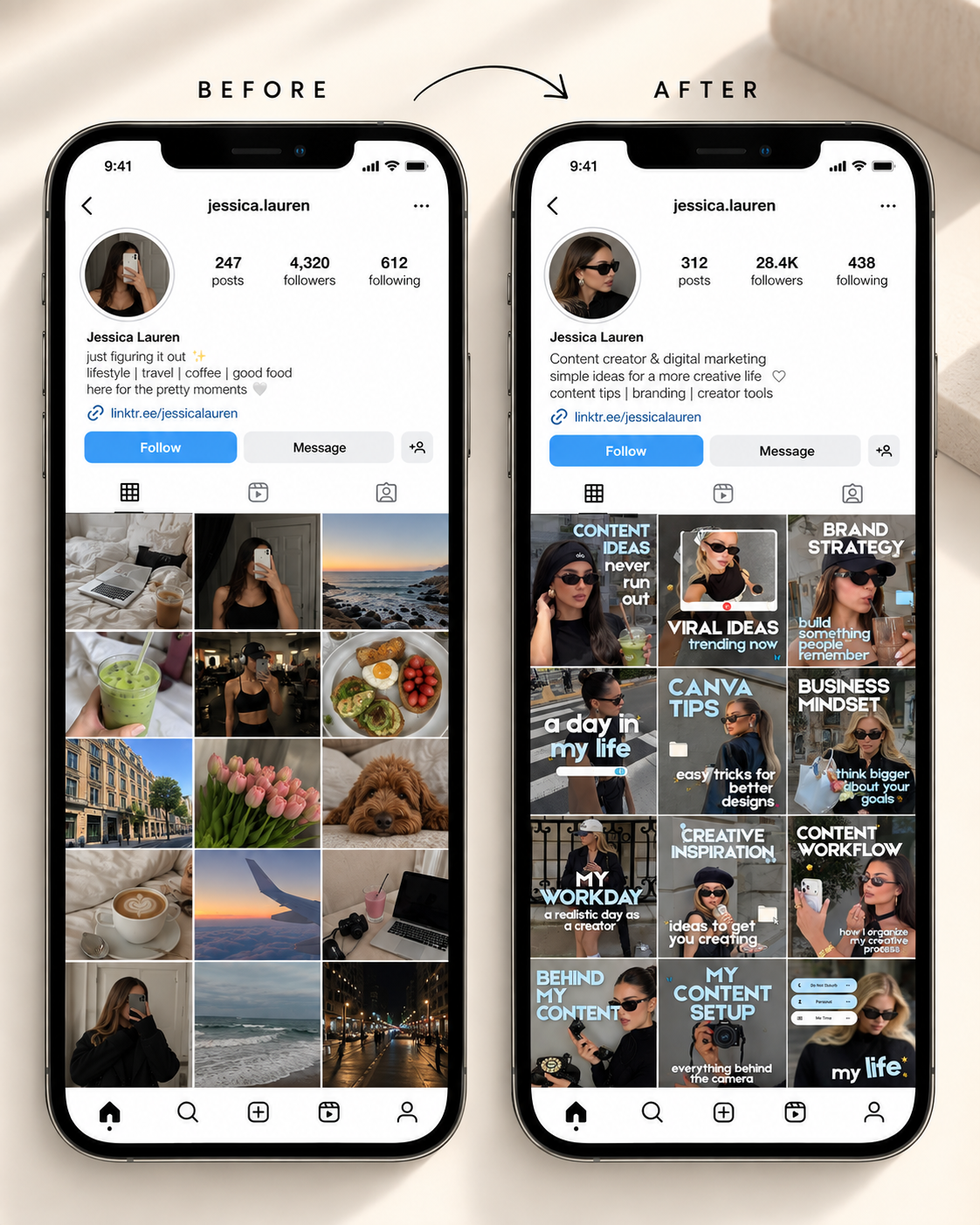
From “what do I post?” to a feed that looks planned.

The goal isn't perfection. It's a feed that feels like the same brand from one post to the next — without rebuilding the look every time.

Three small steps

Buy it. Save it. Start posting.

No course to finish. No software to learn. You'll get a simple access PDF by email with your Canva links.

Buy the kit

Checkout once for $19.

Open your access PDF

Your delivery email links to the PDF with the Canva access buttons.

Copy to Canva & post

Save your copies, customize the templates and use the Feed Planner before you publish.

Current offer

The Content Creator Feed Kit

Your next 80 posts don't need 80 blank-page decisions.

Get the full template library plus the bonus Instagram Feed Planner in one instant digital download.
  • 80 editable Instagram Canva templates
  • Bonus Instagram Feed Planner mockup
  • Access PDF with your Canva links
  • Works in Canva Free
  • One-time purchase
$19.00 $47.00

One-time payment · Instant digital delivery by email

Before you buy

A few practical questions.

Everything is designed to be simple: buy once, receive the access PDF, copy the templates into Canva and make them yours.
Do I need Canva Pro?
No. The kit is designed to work with the free version of Canva.
How fast do I get access?
It's a digital product. After checkout, you'll receive the delivery email with your access PDF and Canva links.
What exactly is included?
You get 80 editable Instagram Canva templates plus the bonus Instagram Feed Planner mockup and an access PDF that takes you to the Canva files.
What's the refund policy?
Digital access is delivered immediately. Please review Capavida's store refund policy before purchasing. If you have an access issue, contact support so we can help.
Do I need to save anything within 30 days?
Yes. Open your access PDF and save your Canva copies within 30 days of purchase so the templates are safely stored in your own Canva account.

Your next post can start somewhere better

You don't need more pressure to post. You need a better starting point.

Keep the ideas. Lose the blank-page spiral. Open a template, make it yours and get back to the work you're actually here to do.
Consistency builds brands. Blank pages kill them.